How to Appear in Google AI Overviews (and What Google Says You Can Skip)

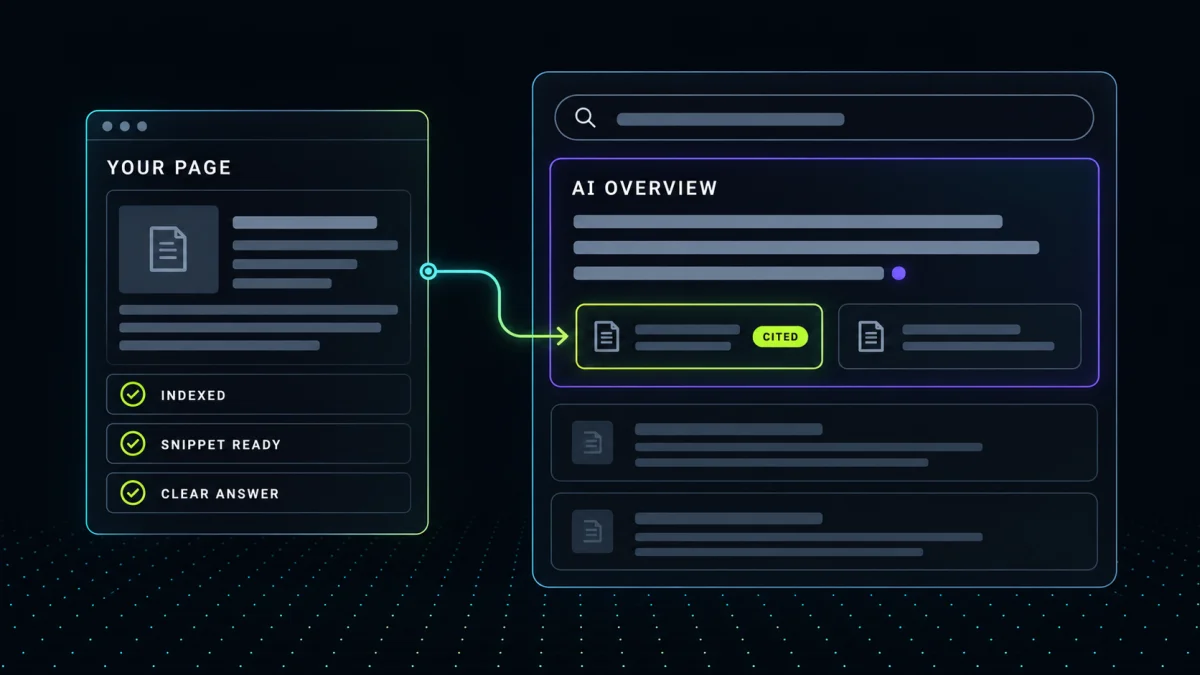
Google’s AI Overviews are the AI-written summaries that sit above the regular results for a growing share of searches, and they are built by Gemini from pages in Google’s ordinary search index. To appear in one, a page has to be indexed, eligible to show a snippet, and part of a site that is included in Search’s generative AI features. Google says so in its own documentation. Everything after that is the familiar work of being the clearest answer to the specific question the Overview is answering.
Most advice on AI Overviews optimization leans on special files, special schema, and rewriting pages into AI-sized chunks. In 2026 Google published a guide that names those tactics one by one and says to ignore them. This post covers what Google actually asks for, what it says you can skip, what changes for a business with locations, and how to find out whether you are already appearing.
How do AI Overviews choose which pages to cite?
Google’s guide to optimizing for generative AI features describes two mechanisms. The first is retrieval-augmented generation, which Google also calls grounding. The model does not answer from memory. It runs the search, pulls relevant pages from the index, and writes the Overview from what those pages say, with links back to them. The second is query fan-out. For a question like how to fix a lawn full of weeds, the system issues its own related searches, such as which herbicides to use and how to keep weeds from returning, and gathers pages for each one.
Your page does not need to rank first for the exact query to be cited. Ahrefs analyzed 4 million AI Overview URLs across 863,000 searches and reported in March 2026 that only about 38 percent of cited URLs also sat in the top 10, with the rest split almost evenly between positions 11 to 100 and pages outside the top 100. The page that gets cited is often the one that answers a fan-out question cleanly, not the one that covers the broad topic. A commercial HVAC contractor’s page titled “Why does a rooftop unit short-cycle?” is a better candidate than a services page that mentions rooftop units in a bullet.
What does Google require to appear in AI Overviews?
Google’s AI features and your website page is short and worth reading in full. The eligibility rules come down to two.
- The page is indexed and eligible to be shown with a snippet. In practice that means it meets the technical requirements for Search. Googlebot can reach it, the server returns a working page, and the content is indexable text rather than something hidden behind a login or a script.
- The site is included in Search generative AI features. This is a Search Console setting that is on by default and can be switched off per site. If you have never looked at it, look once.
Google adds one sentence worth keeping. “There are no additional technical requirements.” No file, no markup, no special format.
Meeting the requirements makes you eligible. It does not get you chosen. For that, Google points back at the fundamentals it has always asked for. Crawling has to be allowed in robots.txt and by your CDN or host. Pages have to be reachable through internal links. The important content has to exist as text, with images and video in support rather than in place of it. Structured data has to match what a visitor can see, and page experience still counts. The Overview is grounded in the same index as the ten blue links, so the same things that keep a page out of Search keep it out of the Overview.
What does Google say you can skip?
The optimization guide, last updated in July 2026, includes a section Google titled mythbusting. It names the tactics that fill most guides on this subject and says why they do nothing for Google Search.
llms.txt and other special files. Google Search does not read them, so creating one will neither help nor hurt your visibility in AI Overviews. The file still has a job for the engines that do read it, which is why our guide to llms.txt and robots.txt treats it as a five-minute task for ChatGPT, Claude, and Perplexity rather than a Google play.
Chunking content into small pieces. There is no requirement to break a page into fragments. Google says its systems can find the relevant passage inside a page that covers several topics, and that there is no ideal page length.
Rewriting pages for AI. You do not need to write in a special way or capture every phrasing a person might use. The systems understand synonyms and general meaning, so a page that answers the question in plain language is enough.
Chasing mentions. Pursuing inauthentic mentions across the web is not as helpful as it sounds, because the same quality and spam systems that govern Search govern the Overviews.
Overfocusing on structured data. Structured data is not required for generative AI features and there is no special schema type to add. Google still recommends keeping it for rich results and for helping Google understand the entities on a page, so the five schema types every service business should have remain worth having. Adding a sixth will not flip a switch.
Google closes the section by warning against tools that claim to use internal Google metrics, since no outside tool has that access. Any AI visibility tool, ours included, is observing outputs, not reading the machine.
What changes for a business with locations?
Google’s guide says generative AI responses can include information about local businesses, and it names the Business Profile as the way that information gets in. When someone asks for the best [service] provider in their area, the Overview draws on profile data, reviews, and your site together, so a profile with the wrong hours or a missing service area is a visibility problem as much as a listing problem. Keeping your name, address, and phone consistent across the profile, your site, and the directories that mention you is the work entity SEO describes, and the entity check shows which signals disagree. A national or B2B company without a storefront has the same job in different places, LinkedIn, the trade directories, and the data aggregators the others draw from, and the same check applies.
Google says Overviews show only when its systems decide a summary adds something beyond the regular results, which in practice means they trigger far more on questions than on searches for a company to hire. For any business that sells a service, the questions buyers ask before they hire are the opening. What a project usually costs, how long it takes, what to expect from a good provider, and what to check before signing. A page that answers one of those directly is the kind of page an Overview cites, and the business it cites is the one the reader remembers when the search turns into a hire.
How do you check whether you appear in AI Overviews?
There are two ways.
The first is Search Console’s Generative AI performance report, which Google rolled out to all sites at the end of August 2026. It shows the impressions your pages received inside AI Overviews and AI Mode, by page, country, and device. If the report is empty, either the site has not earned enough impressions yet or it has been excluded from generative AI features.
The second is to ask the question a customer would ask and see who gets named. AI Overviews run on Gemini, so the AI Visibility Check sends your buyer-intent query through Gemini with Google Search grounding, alongside ChatGPT and Claude, and shows which businesses each one names and cites. Google notes that AI Overviews and AI Mode can use different models, so treat it as a proxy rather than a screenshot of the live Overview. For the full do-it-yourself version, how to run an AI visibility audit walks through it.
Where to start this week
Take the eligibility rules first. Open Search Console, confirm the important pages are indexed, and confirm the generative AI features setting is on. Run your domain through the robots.txt analyzer to make sure nothing blocks Googlebot. Then view the source of your homepage and check that your services and your copy are in the HTML as text. If they are not, why ChatGPT can’t see your website explains what is happening and how to fix it.
After that, pick the three questions your customers ask most before they hire and give each one a page that answers it in the first paragraph, in plain language, with the details below. Update the Business Profile while you are at it. Keep the schema you have, make sure it matches the visible page, and use the schema generator for anything missing. Then check the Generative AI report monthly, because AI visibility changes.
For an initial overview of your site’s readiness, start with the free AI visibility score. A full audit adds deeper checks when there’s a fit for implementation work with Josh.